

Lost and Found
THE GENTLE ART OF MEMORY RESURFACING

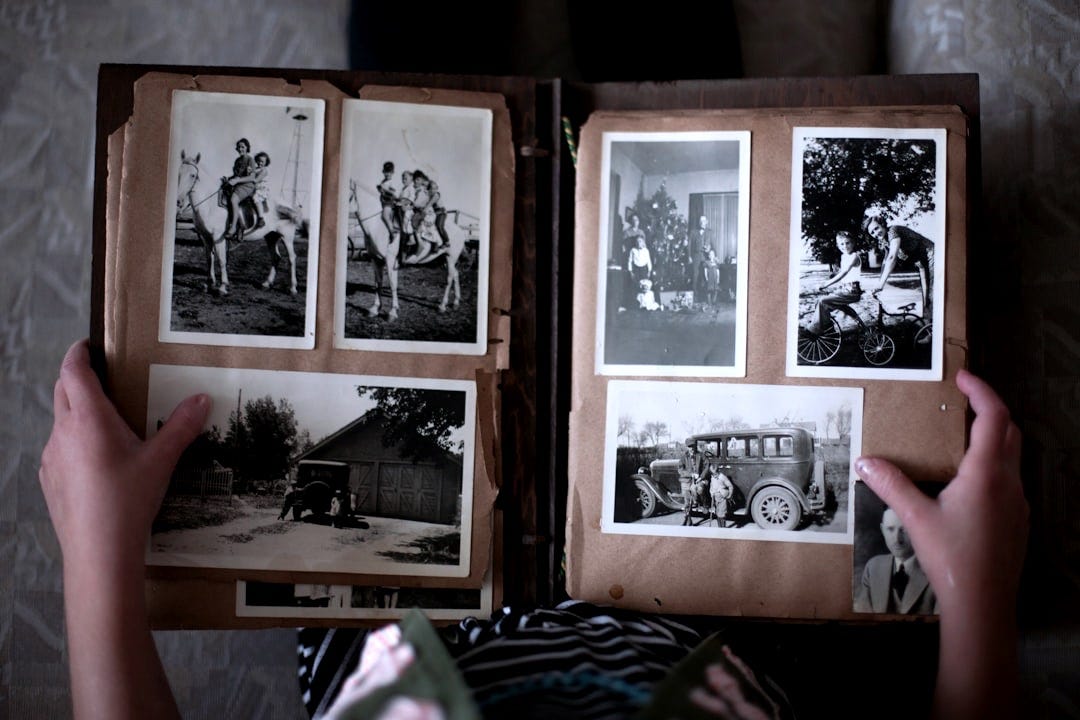
Wanna go back?
Pam and I do that every few nights. Twenty-four square inches at a time.
We’ve accumulated many boxes of prints, slides and negatives over the years, being a family of photographers. Right now we’re in the 4x6 print period; growing a family, visiting grandparents, face-painting, carnivals, reading stories on the couch..
When that’s done, it’ll be a deep dive into my early years as a photographer. Black and white negatives of campus protests, sailing club, and the Pacific Northwest universe of the 70’s. Then a decade of Kodachrome that got me through my single years.
Yes, the point of it all is to choose the keepers, but chipping away at an envelope or two at a time spreads out the task and makes it as much of a Sunday-on-the-couch-album-review as it is memory housekeeping. Everyone has a different threshold, but the point is the forward movement and at the right pace it’s a lot of fun. Like playing an old movie and rediscovering how good it was.
Eventually, all of it will get digitized and added to our Photos Library where the software magic will refresh those moments as Featured Photos, Memories, and curated Albums.
That’s when the fun really begins.
For 175 years or so, photography has been pretty much an exercise in storage. Negatives in sleeves. Prints in envelopes and boxes. Movie film and video tapes on shelves and racks.
Viewing pictures was a deliberate task. Looking for Jimmy’s 5th birthday or that trip to San Francisco.
Except for the family photo album and a few desktop prints, revisiting our photos and the memories that went with them required intentional action and a lot of time to spare.
Your Apple Photos Library changes all that.
Apple Photos is built on the concept that you have your whole family photo collection in one place. It’s about reducing as much friction as possible between your precious - and sometimes forgotten - memories, all the way back to the oldest pixel in your Library.
You don’t have to mess with multiple Folders in the Finder, build different catalogs in Lightroom or Capture One, or log onto an obscure web address to get at the vintage era - or whatever you’ve split off - of your Photos Collection. Everything is right there at your fingertips.
Any task that adds steps to your organizing, requires decisions, or forces you to find something, adds friction and increases the likelihood that it’s too much bother in the moment.
That’s exactly what amateur photographers have struggled with since the release of the Brownie Camera. And it’s why you haven’t gotten around having all those shoeboxes full of prints scanned already.
I know. Me too.
Friction.
But that bright light at tunnel’s end really is the way out.
One comprehensive collection of all the photos and videos you have doesn’t sound like an earth shaking idea, but you’d be amazed at how odd it sounds to a lot of people. Raised on a lifetime full of filing cabinets and shoe boxes, the very concept of dumping all their pictures together reminds them of a McDonald’s ball pit. Or there’s something about a 5-digit photo collection that makes them uneasy. Better to split it up into “manageable” chunks.
Actually I lived through that myself. When we didn’t have a choice but to save to Folders on the Desktop. It wasn’t pretty, and I’m still discovering photos that were lost from sight since the late’90’s.
But now they’ve found a home in my Photos Library.
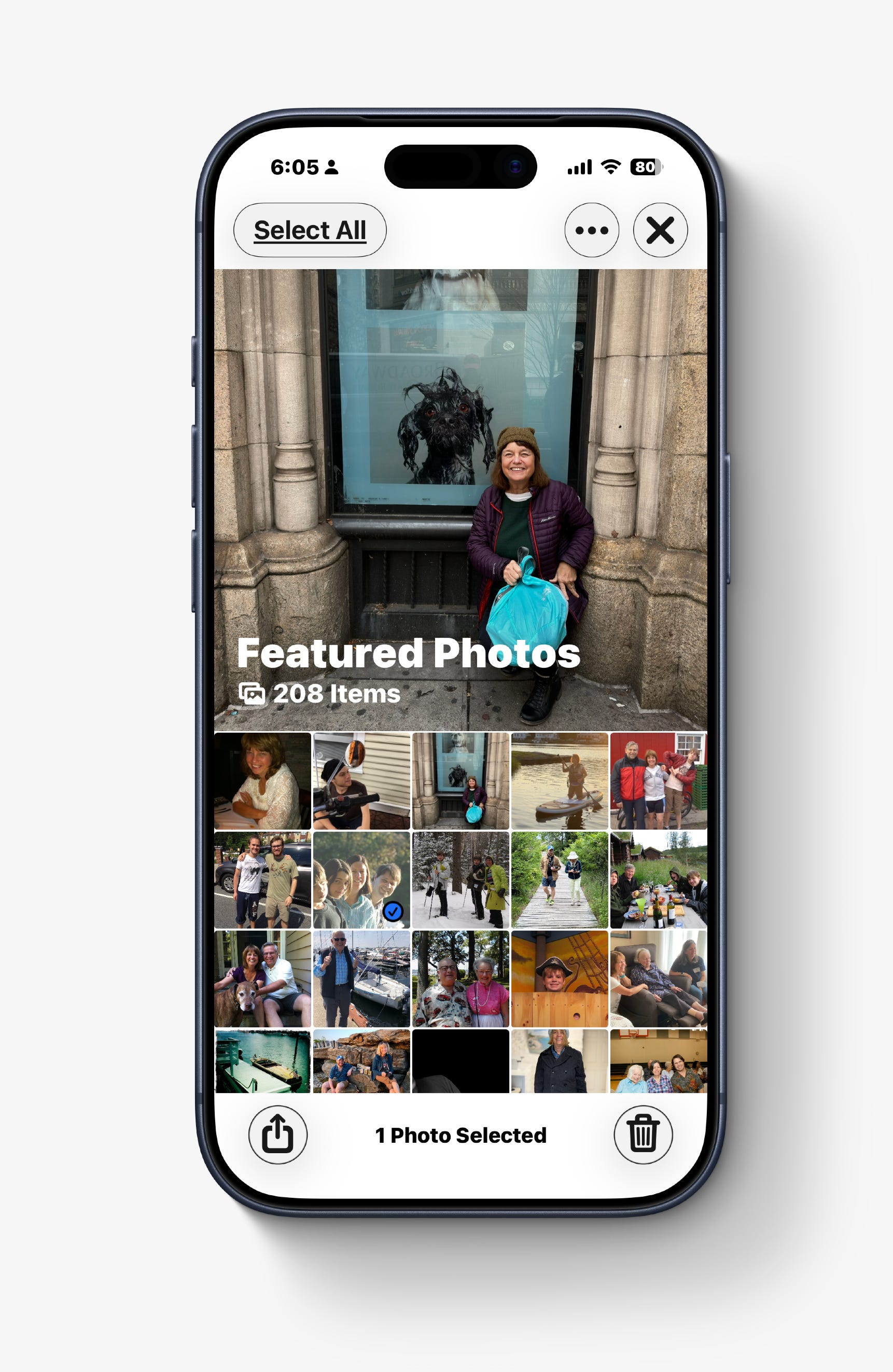
The thing is that for the last few years Apple Photos has been improving what they call “machine learning” and Search features and there’s likely a lot more to come with A.I. in this year’s Operating Systems upgrades. So if you don’t have everything in your Library just yet, now is a great time to do that.
Here is what you get:
Memories -
This is the essence of the Apple Photos experience. Resurfacing meaningful photos from your entire timeline. Memory snippets from yesterday or from long ago and barely remembered. Memories like “Jason through the years” put together a collection that you wouldn’t think of doing yourself, even if you set aside the time. With OS 26 you can even create your own Memory movies by describing it. They can be saved, edited and shared.
Trips -
I found that my Trips Collection has created trips all the way back to 2004. As long as you have a date and a location, Photos can figure out that you were away from home.
People & Pets -
Facial recognition was introduced in 2017 on the iPhone and has gotten better every year. It is uncanny how well it can identify people as they age and now can recognize pets. People recognition is a huge factor in creating Memory movies that now include family members and friends as part of the context.
Featured Photos -
Kind of like the abbreviated version of Memories. Once Photos gets a sense of your favorite people, places, activities, it selects photos to share on Home Screen widgets and the Featured Photos collection. Random moments from your life like a delightful moment montage. Can be edited and shared.
This is the delight of Apple Photos. What used to be a storage vault has become a publishing system for your memories; big and small, old and new. It is an agent of rediscovery with your life. And each day you never know what will come to the surface.

Where are you on the road to memory resurfacing? Let me know in the poll!
Paul, I use the Epson FF-680W to scan photos. I then batch them through Topaz Photo and it does a nice job of removing noise and face recovery. The results are subtle, which is what I want and do not make the images look like a major edit was performed on them. I’ll give Photo Sharing a try! I don’t want to over complicate the situation so hopefully this simple solution will do it for me.
Thank you, Todd.
P.S. I went back and found your article from August 2025 on Photo Sharing.
Paul, In your poll you have four choices and left off the fifth option that I would have selected “All of the above”.
I just completed scanning about 2,000 photos from the 1980s and 90s. I ran them through Topaz Photos to clean them up and then added them to Apple Photos.
Now I came across another problem that Apple has not solved. I want to share my entire Photos Library with the immediate family so they can “view only” the Library. As the family archivist I don’t want anyone to have to the capability to accidentally delete photos, just view them. I checked with several of the AIs and they have confirmed this is something that Apple is missing. AI has recommended keeping the Apple Photos Library and duping it to Google Photos for sharing. Do you share your Apple Photos Library?